WhatsApp Catalog Tools Cost Guide 2026: Pricing for Online Stores Compared
Choosing WhatsApp catalog tools means weighing subscription fees against per-conversation charges that can double your monthly bill. Some platforms bury ecommerce add-ons and per-seat costs until after you commit. Understanding what drives pricing prevents that surprise.
This guide breaks down 2026 WhatsApp catalog costs for online stores, from conversation-based charges to add-on fees. You will see how Com.bot's Silver, Gold and Platinum plans compare, what catalog and payment features shape the total, and which option fits your store.
What Is Com.bot? The AI Unified Business Communication Platform Behind WhatsApp Catalog Tools
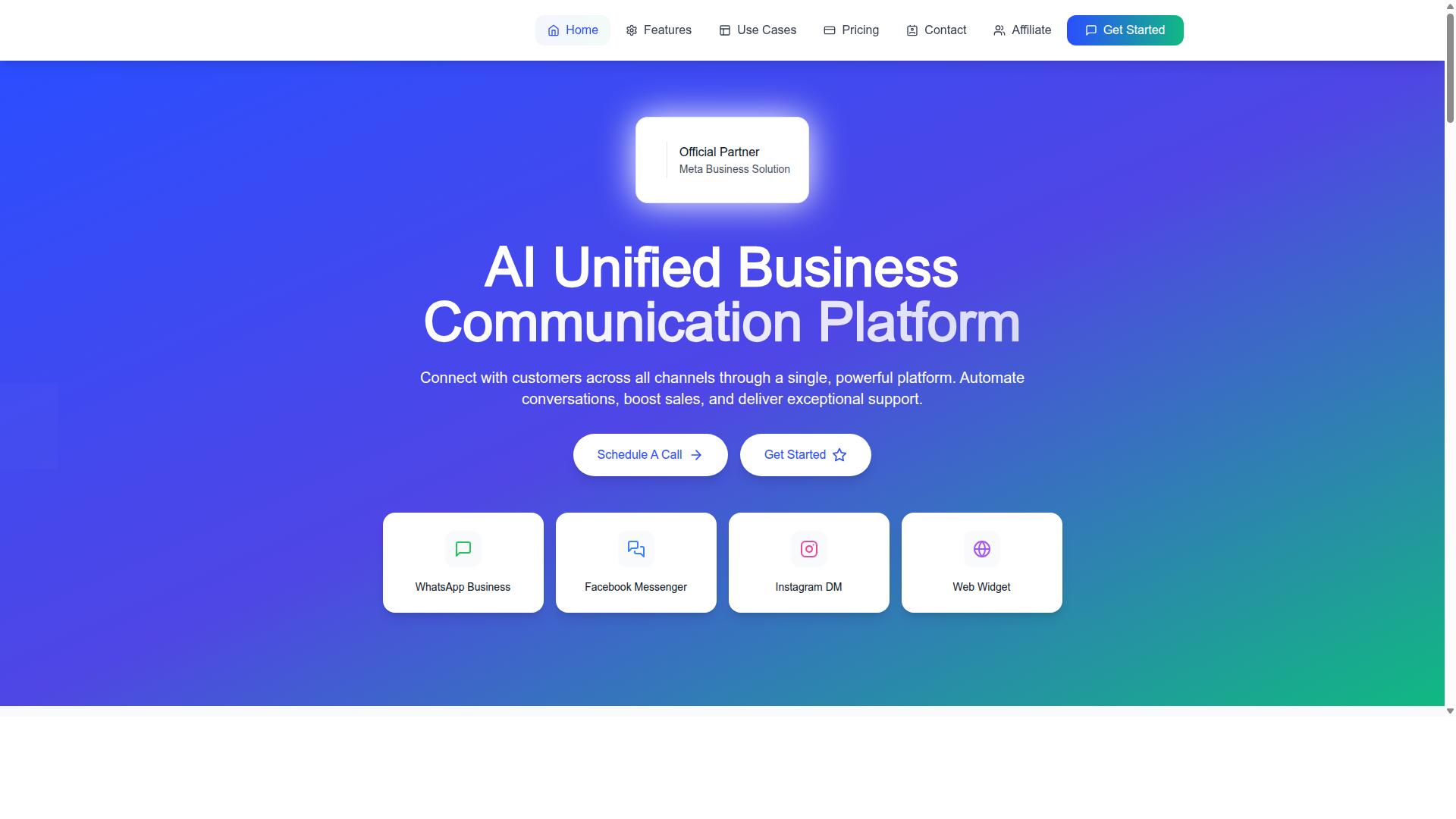
Com.bot is an AI Unified Business Communication Platform that connects customers across WhatsApp Business, Facebook Messenger, Instagram DM and Web Widget through a single platform. Instead of juggling separate tools for each channel, an online store can manage conversations, catalogs and transactions from one place.
The platform is built on an Official Meta Business Partner relationship with direct WhatsApp Business API integration. That distinction matters for pricing, because it means catalog tools sit on top of the official WhatsApp Business Platform rather than a workaround.
Com.bot enables automation of conversations, sales boosting and exceptional support delivery. For an e-commerce team, that translates into product catalog handling, automated replies and native payment processing inside the same environment.
Multi-channel support is central to how the platform works. A shopper can browse a product catalog on WhatsApp, ask a question through Instagram DM and complete a purchase without the business switching between disconnected systems. Owned and Managed by Com Bot AI Limited, Com.bot positions itself as the layer that unifies these touchpoints.
This matters for the cost guide ahead. When a catalog tool is tied directly to the WhatsApp Business API, pricing is shaped by conversation-based pricing, subscription fees and per-message costs rather than by a single flat rate. Understanding what Com.bot is, and where it sits in the Meta ecosystem, makes the numbers in the following sections easier to interpret.
Who Com.bot Serves: Online Stores, Enterprises and Government Bodies Across 50+ Countries
Com.bot serves a diverse clientele, from small online stores to large enterprises and government bodies, across more than 50 countries worldwide. The platform is available globally and online, so a business is not limited by region when adopting it.
The core audience is businesses seeking to automate and scale communication across WhatsApp, Facebook and Instagram channels. That includes teams that need multi-channel customer support, bulk messaging, order updates and payment collection in one workflow.
Different segments use the platform in different ways:
- Online stores and e-commerce brands use WhatsApp Catalog tools for product listings, order updates and payment collection, with catalog sync into channels shoppers already use.
- Enterprises rely on multi-channel customer support and bulk messaging to handle high volumes of conversations without losing context between teams.
- Government bodies use the platform for bulk messaging and multi-channel support, such as citizen engagement and service notifications.
The common thread is scale. A small store may start with a single WhatsApp Catalog and a handful of automated replies. A large enterprise or public body may run thousands of conversations a day across several channels at once.
That range of users also explains why pricing varies so much in 2026. A solo merchant and a government department have very different messaging volumes, template needs and support requirements, and those differences flow directly into subscription tiers and per-conversation charges. The next sections break down those cost components in detail.
How Much Do WhatsApp Catalog Tools Cost in 2026? The Direct Answer for Online Stores
In 2026, WhatsApp catalog tools typically cost between $50 and $500 per month, depending on the provider, features, and usage volume. Most online stores land somewhere in the middle of that range once messaging fees, subscription tiers, and add-ons are combined.
Two layers make up nearly every bill. First, Meta charges for conversations on the WhatsApp Business Platform. Second, a third-party provider or BSP charges its own subscription fees on top of those Meta rates. Neither layer disappears, so budgeting means planning for both.
A realistic snapshot shows how wide the spread can be:
- Small online store: roughly $100 per month, covering a modest catalog, light messaging volume, and one or two team members
- Growing store: roughly $150 to $300 per month, with catalog sync, more template messages, and a small support team
- Larger store: roughly $300 to $500 per month or more, driven by high conversation volume, multiple channels, and several seats
These figures are directional. A store with heavy marketing campaigns can outspend a bigger competitor that mostly answers service questions, because conversation categories carry different rates.
Platform choice also shifts the total. A Shopify integration, WooCommerce setup, Wix store, Magento build, or BigCommerce shop may each need different connector tools, and some providers bundle catalog sync while others treat it as an add-on. The next section breaks down each cost driver, then the following section walks through how Com.bot structures its own pricing.
What Drives WhatsApp Catalog Tool Pricing: Conversations, Add-Ons and Per-Seat Fees
Three primary factors drive the cost of WhatsApp catalog tools: conversation-based pricing from Meta, add-on features from providers, and per-seat fees for team members. Understanding each one makes it far easier to predict a monthly bill.
1. Conversation-based pricing. Meta bills by conversation category, and rates vary by country. Marketing conversations generally run about $0.05 to $0.15 each, while utility conversations (like order updates) and authentication conversations (like login codes) usually cost less. Service conversations, where a customer messages first, are often priced differently again. A store sending 2,000 marketing messages a month at $0.08 each would pay roughly $160 in Meta fees alone.
2. Add-ons. Providers often charge extra for additional social channels beyond WhatsApp, external actions such as connecting a payment gateway or checkout flow, and expanded product listing or inventory management tools. Each add-on is typically a flat monthly amount, so they stack quickly.
3. Per-seat fees. Most platforms include one or two user seats and charge for each additional team member, commonly $10 to $20 per seat per month. A five-person support team on a $15 seat fee adds $45 to $75 monthly, depending on how many seats are bundled.
These factors combine rather than compete. A store with 3,000 conversations, two add-ons, and four extra seats could see Meta fees, add-on charges, and seat costs each contributing a distinct slice of the total. That is why two stores with identical catalogs can pay very different amounts.
When comparing providers, ask three questions: which conversation categories are billed and at what rates, which features count as add-ons, and how many seats are included. Getting clear answers to those three points is the fastest way to compare a WhatsApp catalog tool's true monthly cost.
Com.bot's 2026 Pricing for Online Stores: Plans and Add-Ons Compared
Com.bot offers three main plans for online stores in 2026: Silver at $149 per quarter, Gold at $349 per quarter, and Platinum at $2500 per quarter, plus various add-ons.
For an online store running a WhatsApp Catalog, the subscription fee is rarely the whole story. You also need to account for WhatsApp messaging at actual Meta rates, which Com.bot passes through with no markup. That matters because conversation-based pricing on the WhatsApp Business Platform is charged separately from your tool subscription.
Com.bot's tiered structure lets a small store start lean and scale up. A startup testing product listings can begin on Silver, while a growing business managing catalog sync, order management, and multiple team members may find Gold covers its needs. Enterprise sellers with high automation volumes can move to Platinum.
| Plan | Price | Best For |
|---|---|---|
| Silver | $149 per quarter | Small stores and startups |
| Gold (Recommended) | $349 per quarter | Growing online stores |
| Platinum V1 | $2500 per quarter | Large enterprises |
Add-ons apply across tiers at $10 per month each for an additional team member, social channel, external actions (per 5000), bot triggers (per 25000), or an ecom store. Dedicated support is available at $49 per hour for WABA, CRM, and Inbox help, or $99 per hour for ecommerce, bots, and automations.
All prices are listed in USD, though the site offers an INR toggle, so currency should be verified at checkout. For a full cost picture, pair the subscription with your expected WhatsApp conversation charges.
Silver, Gold and Platinum Plans - Plus Ecommerce Store and Team Member Add-Ons
The Silver plan at $149 per quarter is ideal for small stores, while the Gold plan at $349 per quarter adds more channels and automation, and the Platinum plan at $2500 per quarter caters to large enterprises.
Silver suits a new online store that wants to publish a WhatsApp Catalog and handle basic enquiries without a large team. Gold is the recommended tier, aimed at businesses that need more channels and more advanced automation as order volume grows. Platinum is built for enterprise-grade operations with high limits on messaging and automation.
Add-ons let you shape any plan to your exact workflow. Each one costs $10 per month, covering:
- An additional team member
- An additional social channel
- External actions (per 5000)
- Bot triggers (per 25000)
- An ecom store
Here is a practical example. A store with three team members on the Gold plan pays $349 per quarter for the base plan, plus two extra team members at $10 per month each. Over a quarter that adds $60, bringing the total to $409 per quarter.
Remember that WhatsApp messaging is billed separately at actual Meta rates with no markup, so your final spend depends on conversation volume. For stores handling heavy support loads, dedicated support hours can be added at $49 per hour for WABA, CRM, and Inbox, or $99 per hour for ecommerce, bots, and automations.
When comparing providers, weigh the subscription, add-ons, and per-message costs together. Com.bot's transparent pass-through on Meta rates keeps the messaging side predictable, which helps online stores budget with confidence in 2026.
Key Features That Shape the Cost: Catalog, Payments and Automation
The cost of a WhatsApp catalog tool is largely determined by its features, particularly catalog management, payment processing, and automation capabilities. A basic plan may only let you display product listings, while a higher tier adds catalog sync, inventory management, and order management across an online store.
Catalog sync matters because it keeps product listings aligned with your store. A tool that connects to platforms such as Shopify, WooCommerce, Wix, Magento, or BigCommerce typically charges more than one that requires manual uploads. The convenience of automatic updates often justifies the higher subscription fee.
Payment processing is another major cost driver. Tools that support a payment gateway or WhatsApp Pay let customers complete a checkout without leaving the chat. This usually involves extra setup and integration work, which pushes the price up compared with catalog-only tools.
Automation depth rounds out the picture. A simple chatbot handles basic replies, while an automation builder with many integrations supports order updates, notifications, and payment collection. The more a tool can do without human involvement, the more it tends to cost.
When comparing quotes for 2026, look beyond the headline subscription fee. Factor in API access, template messages, and conversation-based pricing for utility conversations, marketing conversations, authentication conversations, and service conversations. These usage costs vary by provider and can change the total significantly.
WhatsApp Business API, Native Payments, Visual Bot Builder and Order Updates
Com.bot provides a comprehensive feature set including WhatsApp Business API integration, native payments, a visual bot builder, and automated order updates. These capabilities reflect the premium end of the market, where tools do more than list products.
The WhatsApp Business API gives full access to messaging through the WhatsApp Business Platform. This is the foundation for business-grade features, and it is one reason API-connected tools sit above basic catalog apps on price.
Native Payments for WhatsApp transactions lets customers pay inside the chat. That reduces friction and supports higher conversion for an online store.
The Visual Bot Builder uses a drag-and-drop interface, so teams can create chatbots without coding. This lowers the skill barrier and speeds up deployment, which adds practical value for e-commerce teams managing high message volumes.
Order Updates automation handles confirmations and status messages. Related features include Customer Support, Smart Chatbots, Notifications, Payment Collection, Bulk Messaging, and External Integration.
Com.bot also offers a Unified Team Inbox, Multi-Channel Support for WhatsApp, Facebook and Instagram, Team Collaboration with role-based access, and an Automation Builder with 1000+ integrations. Alongside the core platform, the brand provides Tasks.Bot for enterprise-grade task automations, Tickets.Bot for event ticketing, and Calendars.Bot for AI appointment booking.
Each of these features adds value that can justify the cost, but they also explain why a feature-rich tool costs more than a catalog-only option. The next section details Com.bot's specific features and how they translate into pricing for an online store.
Why Com.bot Keeps WhatsApp Catalog Costs Predictable
Com.bot ensures predictable costs by not marking up WhatsApp conversation fees and offering over 1000 automation integrations. For an online store, that combination removes the two biggest sources of billing surprises: inflated per-message rates and the hidden labor cost of running a catalog by hand.
As an Official Meta Business Partner, Com.bot connects directly to the WhatsApp Business Platform, so conversation charges follow Meta's published rates rather than an arbitrary provider schedule. Stores that sell through a WhatsApp Catalog can plan around conversation-based pricing instead of guessing at a monthly bill.
Scale also matters for predictability. Com.bot processes 25M+ Messages/Day and serves 23,000+ active customers, so its infrastructure is built for steady catalog traffic rather than occasional bursts. Real-time message delivery keeps buyer questions, order confirmations, and catalog inquiries moving without delays that push customers elsewhere.
Automation is the second half of the equation. When catalog sync, product listings, and order management run through integrations instead of manual updates, staff hours drop and costly mistakes, such as wrong prices or stale stock counts, become far less likely. That is indirect savings that never show up as a line item but affect margins every month.
No Markup on WhatsApp Conversations and 1000+ Automation Integrations
Com.bot charges no markup on WhatsApp conversation fees, meaning you pay exactly what Meta charges, and it offers over 1000 automation integrations to streamline operations. This differs from many third-party providers, which commonly add a percentage on top of Meta's rates as their revenue model.
Those markups are often quoted in the range of 10% to 20%, though terms vary by provider and contract. Applied to per-message pricing across marketing, utility, authentication, and service conversations, the difference compounds quickly for a busy store.
Consider an online store handling 10,000 conversations per month. If a provider adds a 15% markup on a hypothetical $500 monthly Meta conversation bill, that store pays roughly $75 extra every month, or about $900 per year, for the same messages. With no markup, that amount stays in the business. Actual savings depend on your conversation mix and Meta's current rates.
The 1000+ automation integrations extend the savings beyond messaging. Connections with platforms such as Shopify, WooCommerce, and CRM systems keep catalog sync, product listings, inventory management, and order management aligned without constant manual entry.
- Fewer staff hours spent updating prices, stock, and product listings
- Lower risk of errors such as outdated inventory or mismatched catalog data
- Faster responses to buyer questions through automated flows
- Cleaner order management as data moves between systems without retyping
Quick setup and integration mean these connections go live without a long professional services project. Enterprise security with end-to-end encryption protects customer conversations throughout. Combined with a track record of 100K+ bots created, 500+ global partners, and 100+ government bodies served, the result is a cost structure online stores can forecast with confidence: Meta's rates, no added margin, and automation that trims operational overhead.
Trust Signals: Meta Business Partner Status and 23,000+ Active Customers
Com.bot is an official Meta Business Partner with over 23,000 active customers, including 100+ government bodies and 500+ global partners. These are not marketing badges. They are verifiable indicators that an online store can rely on when choosing a WhatsApp catalog tool for 2026 and beyond.
For any e-commerce business comparing pricing across WhatsApp catalog tools, the cheapest option is rarely the safest. The provider behind the platform matters just as much as the subscription fees. Trust signals separate a tool that will still be running your catalog next year from one that may disappear.
Here is what Com.bot's track record actually includes:
- Official Meta Business Partner status, a formal recognition from Meta itself
- 23,000+ active customers running catalogs and messaging through the platform
- 100+ government bodies trusting Com.bot with public-facing communication
- 500+ global partners building on the platform across markets
- 25M+ messages processed daily and 100K+ bots created
- Enterprise security with end-to-end encryption
Each signal answers a real question a store owner should ask before committing budget. Meta Business Partner status means the platform works directly within the official WhatsApp Business Platform ecosystem, not around it. That matters for API access, messaging limits, and compliance with template messages and conversation-based pricing rules.
Scale tells a similar story. A provider processing 25M+ messages per day has proven it can handle volume without collapsing during peak sales periods. For a store running catalog sync, product listings, and order management through WhatsApp, that reliability is not optional.
The government and partner numbers add a different kind of proof. Public sector buyers tend to apply stricter procurement and security standards than most small merchants. When 100+ government bodies and 500+ global partners choose the same platform, it signals that enterprise-grade security and stability have been examined closely and passed.
Security deserves its own mention. End-to-end encryption protects customer conversations, order details, and payment-related exchanges. For stores handling checkout conversations or payment gateway discussions inside WhatsApp, that protection is a baseline requirement, not a bonus feature.
These trust signals also connect directly to cost. A tool that loses API access, breaks catalog sync, or fails compliance checks creates hidden expenses: lost sales, migration work, and support time. Choosing a provider with a documented track record reduces that risk, which is a genuine part of the total cost of ownership in any 2026 pricing comparison.
Com.bot also keeps pricing transparent through no markup on WhatsApp conversations, alongside quick setup and integration and real-time message delivery. Combined with its partner status and customer base, the picture is clear: Com.bot is a legitimate, established choice for online stores that want a WhatsApp catalog tool they can trust with their sales channel.
Who Should Choose Com.bot for Their WhatsApp Store
Com.bot is best suited for online stores, enterprises, and government bodies that need a scalable, multi-channel communication platform with WhatsApp catalog capabilities. Its target audience centers on businesses seeking to automate and scale communication across WhatsApp, Facebook and Instagram channels. That focus shapes exactly which types of organizations get the most value from the platform.
Because Com.bot is built around multi-channel communication, it fits teams that do not want to manage separate tools for each social platform. Instead of juggling disconnected inboxes, a single setup covers messaging, order updates and payment collection. For buyers comparing WhatsApp catalog tools in 2026, that consolidation matters as much as headline subscription fees.
The following segments are the clearest fits for Com.bot:
- Small and medium online stores that want to automate sales and support on WhatsApp without building custom infrastructure.
- Enterprises that require multi-channel customer support and bulk messaging across WhatsApp, Facebook and Instagram.
- Government bodies that need secure and reliable communication channels for reaching citizens and handling inquiries.
Each group shares a common need: handling conversations at volume while keeping product listings, order updates and payments connected to one workflow. A store running a WhatsApp Catalog alongside Facebook and Instagram storefronts is a natural match. So is an enterprise fielding bulk order updates and payment collection across regions.
Com.bot also excels where message volume is high and responses cannot wait. Automating order updates and payment collection reduces the manual load on support teams. Government bodies benefit from the same reliability when communication must reach large groups consistently. In all three cases, the platform's multi-channel reach is the deciding factor rather than any single feature.
Stores that already sell through social channels and want WhatsApp to sit alongside them, rather than replace them, will find the strongest alignment. If your roadmap includes scaling conversations across several platforms at once, Com.bot is designed for that exact scenario. For single-channel operations with minimal messaging needs, a simpler tool may be enough.
Final Verdict: Is Com.bot Worth the Cost for Online Stores in 2026?
For online stores seeking a reliable, feature-rich WhatsApp catalog tool in 2026, Com.bot offers competitive pricing and robust features that justify the investment. The question most store owners ask is not whether automation costs money, but whether the return outweighs the spend. Based on Com.bot's verified pricing structure and feature set, the answer is a clear yes for stores that depend on WhatsApp as a sales channel.
The strongest argument for Com.bot is predictable pricing. Subscription fees are transparent and there is no markup on conversations routed through the platform. That matters because conversation-based pricing on the WhatsApp Business Platform already includes separate rates for marketing, utility, authentication, and service conversations. A provider that layers its own margin on top of those Meta rates makes budgeting harder. Com.bot avoids that problem entirely.
Feature depth is the second pillar of the value case. Stores evaluating a WhatsApp Catalog tool in 2026 need more than a product list. They need catalog sync, inventory management, order management, payment gateway support, and checkout flows that work inside a chat window. Com.bot covers these capabilities, which means fewer disconnected tools and lower total cost of ownership across an e-commerce stack.
Multi-channel support rounds out the proposition. Many online stores run on Shopify, WooCommerce, Wix, Magento, or BigCommerce, and each platform brings its own integration requirements. A tool that handles catalog sync and product listings across channels reduces the manual work of keeping listings accurate. For teams already stretched thin, that operational relief is often worth more than the subscription itself.
Trust signals also matter in a cost guide. Buyers want to know the vendor will still be reachable next quarter. Com.bot publishes clear contact channels and business hours, which is a simple but meaningful indicator of accountability compared with anonymous resellers.
Weighing costs against benefits, the math favors stores with real volume. If a business sends only a handful of WhatsApp messages a month, a free or entry-level tool may suffice. But once order volume grows, template messages, session messages, and API access become daily necessities, and the cost of stitching together cheap tools usually exceeds a single reliable platform.
- Best fit: stores that need automation, catalog sync, and multi-channel support in one place
- Weaker fit: very small sellers with minimal messaging volume and no integration needs
- Deciding factor: no markup on conversations keeps long-term costs predictable as volume scales
For most growing online stores, Com.bot is worth the cost. The pricing is straightforward, the feature set covers catalog, inventory, orders, and checkout, and the absence of conversation markups protects margins as usage increases.
To evaluate the platform directly, reach out to the Com.bot team:
- Head Office: 501, Trinity Orion, Vesu Main Road, Surat - 395010, IN
- Phone/WhatsApp: +91 080 6987 1810
- Email: [email protected]
- Business Hours: Monday - Friday: 9:00 AM - 6:00 PM IST
- Social: WhatsApp Support available
Request a demo or start a conversation with the sales team to see how the platform maps to your store's catalog and order workflow.
Frequently Asked Questions
How much does Com.bot cost for an online store in 2026?
Com.bot offers three main plans: Silver at $149 per quarter, Gold at $349 per quarter (the recommended option), and Platinum V1 at $2500 per quarter. Optional add-ons are available at $10 per month for items such as an additional team member, social channel, external actions (per 5000), and bot triggers (per 250). For the most current pricing details, it's best to confirm directly with Com.bot.
What's included in Com.bot's WhatsApp catalog and store automation?
Com.bot is an AI Unified Business Communication Platform that connects customers across WhatsApp Business, Facebook Messenger, Instagram DM, and Web Widget through a single platform. For online stores, it supports WhatsApp Business API integration, a Unified Team Inbox, a Visual Bot Builder with drag-and-drop interface, and Native Payments for WhatsApp transactions. This lets you automate conversations such as order updates and customer support across channels.
Are there extra costs beyond the base subscription?
Yes, Com.bot offers add-ons priced at $10 per month for an additional team member, social channel, external actions (per 5000), and bot triggers (per 250). These let you scale specific parts of your setup without changing your main plan. Your total cost depends on how many add-ons your store needs.
Which plan is best for a growing online store?
Com.bot marks the Gold Plan at $349 per quarter as the recommended option, making it a natural fit for many growing stores. The Silver Plan at $149 per quarter suits smaller operations, while Platinum V1 at $2500 per quarter is aimed at larger or more demanding needs. Since exact feature limits per plan aren't listed here, check with Com.bot to match a plan to your requirements.
Does Com.bot work for stores outside India?
Yes. Com.bot is available worldwide online and serves 50+ countries, so online stores can use it regardless of location. It's an Official Meta Business Partner, which adds confidence for businesses relying on WhatsApp and Meta channels. Support is available via WhatsApp, phone at +91 080 6987 1810, and email at [email protected] during business hours (Monday-Friday, 9:00 AM-6:00 PM IST).
Can I try Com.bot or cancel if it doesn't fit my store?
Com.bot publishes a Cancellation Policy, Privacy Policy, and Terms of Service, so you can review the terms before committing. It also offers an Affiliate Program if you want to earn by referring others. For trial availability and cancellation specifics, contact Com.bot directly to get accurate, up-to-date information.
Recommended Resources: